I have (finally) built a fully e2e working purely decentralised and federated IRC-compatible chat server. It is currently a PoC, but it’s already working quite well. It’s inspired partly by the work we did with Salty Chat in terms of Discovery and Federation. Some screenshots of a normal IRC client irssi showing off how it works in a local e2e setup: 


My long weekend has finally arrived!
To celebrate, I busted out FCEUX (an NES emulator) and killed some ghouls in Castlevania 3, stomped some koopas in Super Mario Bros, and even hit a homerun in Base Wars (one of my personal faves, a baseball game featuring fighting robots).
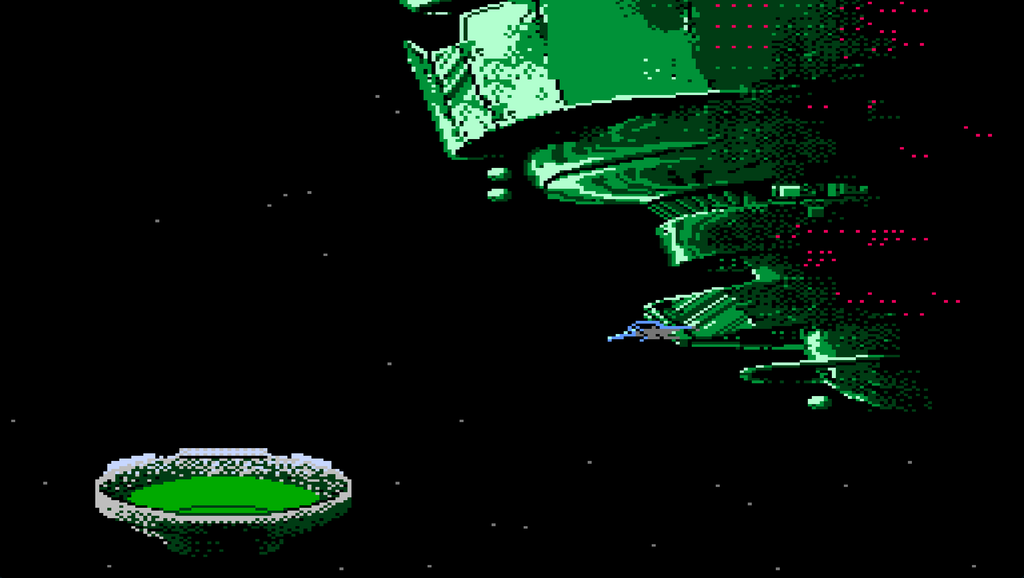
I’m about to switch to MAME to play some arcade classics in preparation for an outing tomorrow night to an arcade bar (for my son’s birthday).
And I don’t go back to work until Wednesday! Woot!! 🤘
For the first time in probably 30 years, I played a game of M.U.L.E. tonight (and won!).
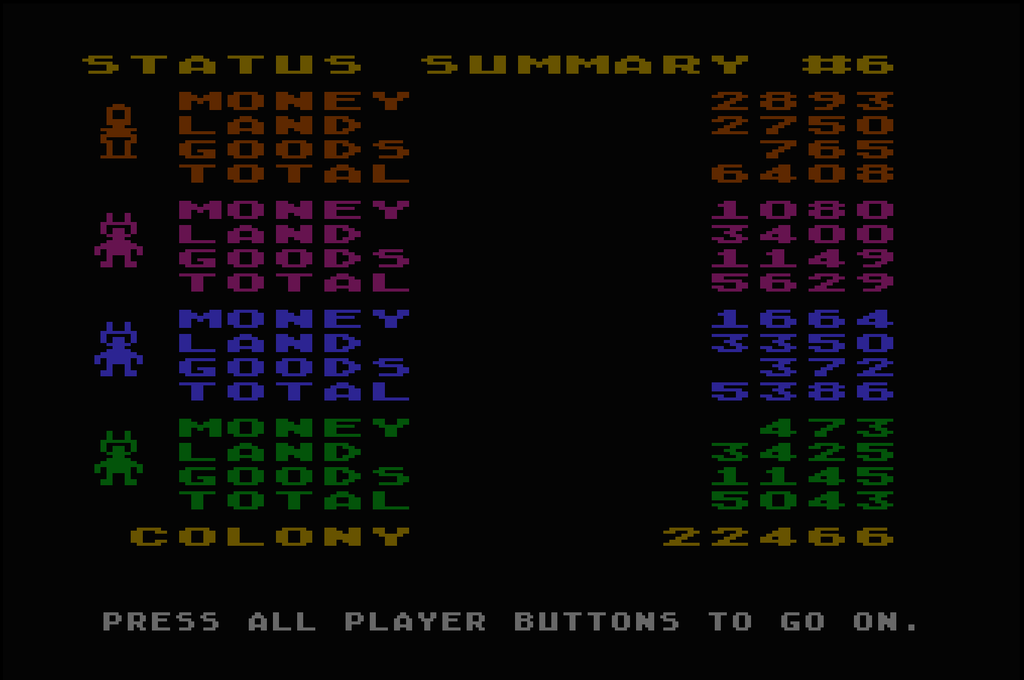
Granted, it was a beginner-level game, with a beginner-level alien against 3 computer players, but… I’m just sayin’.
I even lost one of my tracts of land due to it not being “recorded”, and I still won.
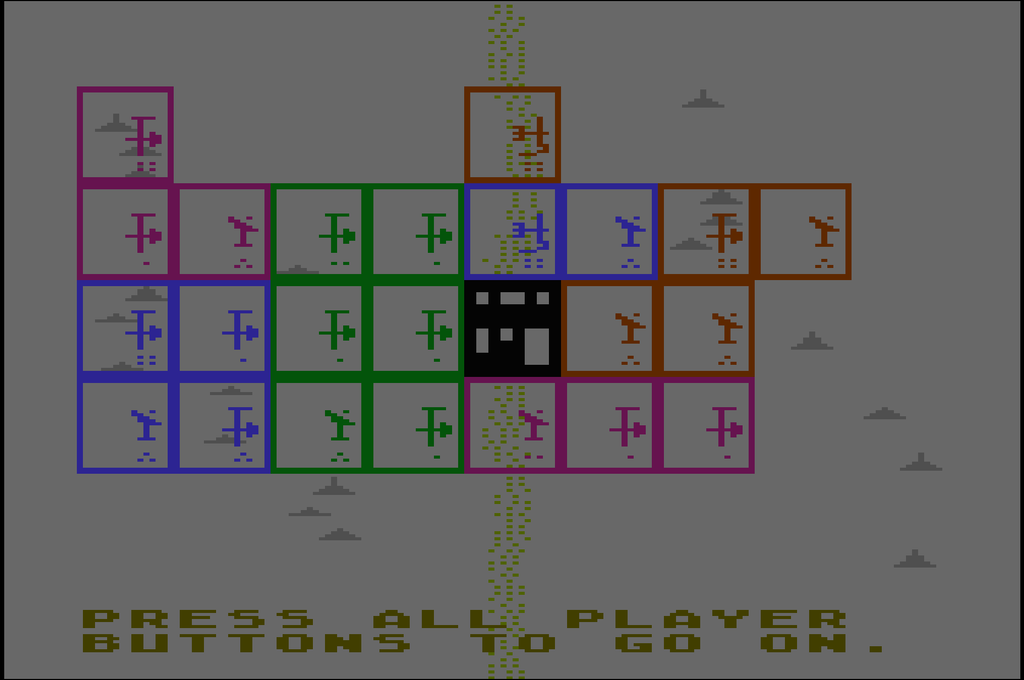
Take that, Mechtrons!
This cookie banner button uses “Abfall” in the German translation for probably “Reject” or “Configure”, I don’t know, simply left the site. This literally means waste, garbage, rubbish, trash. Spot on! :-D

↳
In-reply-to
»
The original twt is unavailable. It may have been edited or deleted, or is from an unknown or muted feed.
⤋ Read More
@david@daiwei.me Hahaha, I love it! :‘-D I need very high precision pliers.

But now I’m owed something for that! Nearly made up for it. I can use the new clamp to press hard and shrink the coin a bit.
Okay: 
Tell me which one of those “plus” icons on this screenshot you can click and which one is just decoration.

FFS.
↳
In-reply-to
»
I should really fix this damn bug where new replies to read replies to unknown conversation roots are not showing up in
⤋ Read More
tt. I run into this bug almost daily for weeks now.
@prologic@twtxt.net A screenshot won’t help in this case, as you don’t see anything. :-D It starts off just fine with a conversation tree like that:
Unknown conversation root
└╴Read reply
  └╴Read subreply
Everything works. After reloading the feeds, a new message becomes part of the conversation, so the conversation e.g. looks:
Unknown conversation root
└╴Read reply
  ├╴Read subreply
  └╴Unread subreply
However, the bug is that the whole conversation is not shown at all. None of the three (or four with the root) messages appear in the message tree view. My recursive SQL determining the messages to display is clearly broken.
↳
In-reply-to
»
The original twt is unavailable. It may have been edited or deleted, or is from an unknown or muted feed.
⤋ Read More
@david@daiwei.me Oh, really? I thought I’ve posted compose view screenshots before. Anyway. Glad you like it as much as I do. :-)
The update interval has always been one second. I just didn’t remember and thus tried to time it by watching the preview update while typing. It felt like roughly under two seconds, but apparently my inner clock was off. After taking the screenshot and then examining it more closely, I noticed that the interval is stated right in the UI. :-D So, I just amended my message and didn’t bother taking a new screenshot. I figured I just leave it alone and see who spots the change, if at all. And, of course, you found the easter egg. Congrats, mate! 8-)
↳
In-reply-to
»
@lyse Ahh yes, but
⤋ Read More
tt has a "draft" mode right? You didn't publish, then edit over and over did you? 😅
@prologic@twtxt.net Not sure if this really counts as a draft mode or this is what you had in mind. I just was in the editor for ages and didn’t close it. tt provides an integrated preview for the rendered message in there. It automatically updates every second.
Here’s a screenshot of the compose view with the conversation context on the top to which to reply to, the editor in the middle and the almost-live preview at the bottom, I hope it’s big enough: 
But it’s not like I hit the “Add message” button in the compose view (the one currently selected on the screenshot), see the message in the conversation tree and then come back into the compose view to continue editing. There’s no edit functionality in tt. Once the message is appended to my twtxt.txt file on disk, all I can do is edit it with vim. The U+2028 line breaks are really annoying to deal with (I’m sure I could do something about that if I spent the time), so I try to avoid that at all costs.
Once new messages have been added to my local file, I then manually upload the file to my server in a separate terminal. There’s no upload command integrated into tt. Right from my very first message in the beginning, I’ve always done it exactly like that. I’m used to this and it really doesn’t bother me. But I can see that others might not be fans of that at all. I might add an upload mechanism to tt at some point in the future.
Nice product, I should probably buy it: 
↳
In-reply-to
»
@GabesArcade The no-JS part is one thing, but you also have to disable the (nowadays common) forced-HTTP-to-HTTPS-redirect, because those old browsers can’t do modern crypto. And make sure that your webserver serves the correct page even if no
⤋ Read More
Host header is sent by the client. And don’t even think about serving UTF-8 or even just putting utf-8 in the content type. 😅 And for the JPEG thumbnails I pass a special flag to ImageMagick so that IBM Web Explorer from OS/2 won’t trip. 🤣 And always use link rel="stylesheet" for CSS, because some browsers render inlined CSS as literal text. And … probably more that I forgot by now. 😂
I’m in the process of making a big page with photos and screenshots, and this is more stuff than I expected.
↳
In-reply-to
»
Okay, wow. Windows NT 4 wasn’t part of my timeline back then, so this is the first time I’m seeing it in action. And this thing came with IE 2, which I’ve also never seen before. (That’s interesting, because I remember using IE even on Win 3.x, but apparently that was already IE 3?)
⤋ Read More
@movq@www.uninformativ.de I figure there is a bug somewhere, but where?

First 12, then 37, now 63 liters per square meter, what’s next?

↳
In-reply-to
»
So I've been working on GoNIX the last few days... Which is derived from µLinux -- At least it's entire build process. GoNIX however has a 100% Go userland, including the init process, package and service management.
⤋ Read More
QEMU Screenshot: 
↳
In-reply-to
»
@lyse In what way was KDE 3’s menu organized? KDE 1 is the only KDE version I ever used. 😅 We’re talking about this one, right?
⤋ Read More
@movq@www.uninformativ.de Yes, this screenshot. However, not the Dutch but rather the German version, no wonder it looks so crazy!!1!11
It’s been a hot minute or two since I last used KDE, so I don’t remember exactly. I just vaguely recall that I found myself thinking multiple times that the KDE application categories were better matching or there were more or something like that. Most of my classmates were on Windows and had one giant long list of all sort of stuff in there. You even had to scroll in the menu. Sure, they installed all kind of garbage, which didn’t exactly help. Where in KDE, they were actually grouped by Office, Internet, Graphics, Multimedia, Games, etc. In Windows, applications usually hid themselves in a sub folder named after the software vendor. At least in the later (?) days.
I only used Win 95, 98 and XP at home. For maths class with computer algebra system (Maple), we had a Cassiopeia with Win CE: https://en.wikipedia.org/wiki/Casio_Cassiopeia At school, there was probably also Win 2000, but I don’t know anymore for sure.
↳
In-reply-to
»
Upvoted, @movq! See: https://news.ycombinator.com/item?id=48331329
⤋ Read More
I mean, this is pretty awesome!

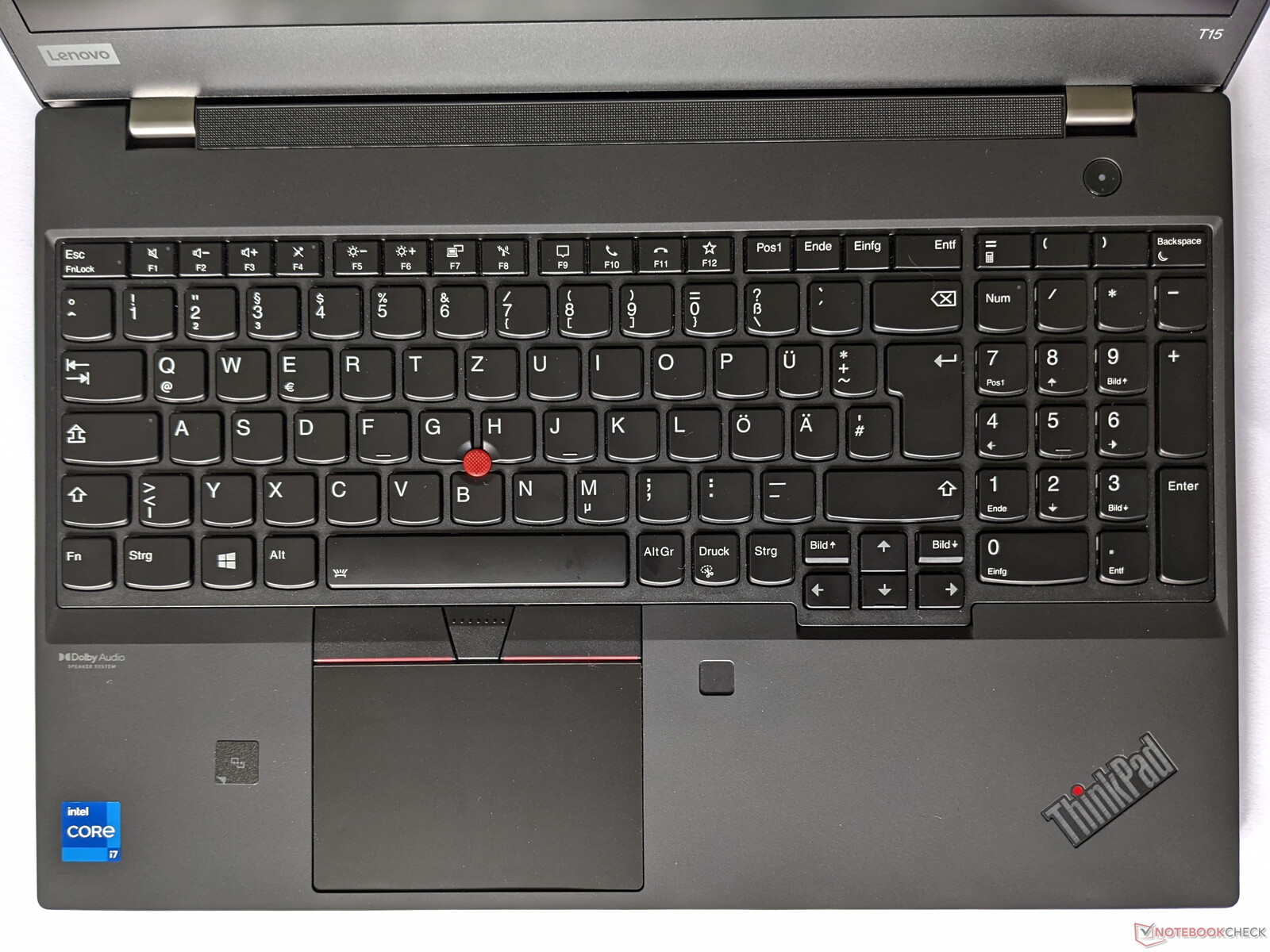
I should have changed the key binding from Print to Shift+Print a long time ago to launch import and upload the screenshot to my server. I was constantly hitting that stupid key on accident when I actually wanted to press [AltGr].
If I only could map a key binding to slap these damn ThinkPad T15 keyboard layout designers at Lenovo remotely in the face. Seriously, who in their right mind puts Print (in German Druck) between AltGr and Ctrl at the bottom row to begin with?! Exactly. Nobody. What a horrible location.
↳
In-reply-to
»
@lyse Thanks for the heads-up.
⤋ Read More
@itsericwoordward@itsericwoodward.com @bender@twtxt.net Well, even hard-reloading doesn’t change anything. I also just noticed that hovering over the tab title makes it completely invisible. In contrast to the buttons, here, the text color is exactly the same as the background color:

Since I prefer the light theme, that’s no big deal for me. 8-)
↳
In-reply-to
»
The original twt is unavailable. It may have been edited or deleted, or is from an unknown or muted feed.
⤋ Read More
Oh wow, the boxes are ticked now! When I first checked, they were still showing like the screenshot. Well done! 🥳
↳
In-reply-to
»
Btw @movq you've inspired me to try and have a good 'ol crack at writing a bootloader, stage1 and customer microkernel (µKernel) that will eventually load up a Mu (µ) program and run it! 🤣 I will teach Mu (µ) to have a
⤋ Read More
./bin/mu -B -o ... -p muos/amd64 ... target.
@prologic@twtxt.net Damn, nice! I know exactly what you mean – the output/screenshot looks trivial, but there’s so much going on behind the scenes. 😃
Did you do the whole dance with BIOS boot and everything?
Mu (µ) is coming along really nicely 🤣 Few things left to do (in order):
- Finish the concurrency support.
- Add support for sockets
- Add support for
linux/amd64
- Rewrite the heap allocator
- Rewrite Mu (µ) in well umm Mu (µ) 😅
Here’s a screenshot showing off the builtin help(): 
I think my widget toolkit will have an amber theme by default:
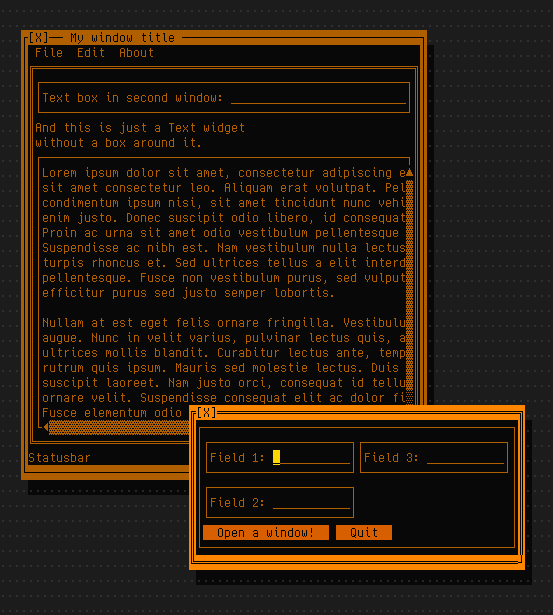
My first PC had a monochrome amber screen and I just love looking at this. 😃
(It looks even better with redshift enabled, but I can’t screenshot that.)
Only downside is that there aren’t that many amber shades in the standard 256 color palette. Or well, maybe that’s actually a good thing, as it probably helps to keep the theme more minimal and less cluttered/noisy. 🤔
↳
In-reply-to
»
@lyse You actually have a Markdown parser/renderer in there? Oh dear. I would have been (well, I am) way too lazy for that. 😅
⤋ Read More
@movq@www.uninformativ.de Well, just a very limited subset thereof:
- inline and multiline code blocks using single/double/triple backticks (but no code blocks with just indentation)
- markdown links using using
[text](url)
- markdown media links using

And that’s it. No bold, italics, lists, quotes, headlines, etc.
Just like mentions, plain URLs, markdown links and markdown media URLs are highlighted and available in the URLs View. They’re also colored differently, similarly to code segments.
I definitely should write some documentation and provide screenshots.
↳
In-reply-to
»
sorry i haven't been working on bbycll or even hanging around twtxt much at all as of late -- gf was over for a few weeks, i turned twenty years old, and have been doing extremely unnecessary things to my website
⤋ Read More
@zvava@twtxt.net happy belated birthday! Also, I would love to see that website. I went to the one listed on your profile, and saw the old one, not this one. I like the current, and also the pink look of the one of the screenshot!
↳
In-reply-to
»
There are no really good GUI toolkits for Linux, are there?
⤋ Read More
@movq@www.uninformativ.de Yeah, give it a shot. At worst you know that you have to continue your quest. :-)
Fun fact, during a semester break I was actually a little bored, so I just started reading the Qt documentation. I didn’t plan on using Qt for anything, though. I only looked at the docs because they were on my bucket list for some reason. Qt was probably recommended to me and coming from KDE myself, that was motivation enough to look at the docs just for fun.
The more I read, the more hooked I got. The documentation was extremely well written, something I’ve never seen before. The structure was very well thought out and I got the impression that I understood what the people thought when they actually designed Qt.
A few days in I decided to actually give it a real try. Having never done anything in C++ before, I quickly realized that this endeavor won’t succeed. I simply couldn’t get it going. But I found the Qt bindings for Python, so that was a new boost. And quickly after, I discovered that there were even KDE bindings for Python in my package manager, so I immediately switched to them as that integrated into my KDE desktop even nicer.
I used the Python KDE bindings for one larger project, a planning software for a summer camp that we used several years. It’s main feature was to see who is available to do an activity. In the past, that was done on a large sheet of paper, but people got assigned two activities at the same time or weren’t assigned at all. So, by showing people in yellow (free), green (one activity assigned) and red (overbooked), this sped up and improved the planning process.
Another core feature was to generate personalized time tables (just like back in school) and a dedicated view for the morning meeting on site.
It was extended over the years with all sorts of stuff. E.g. I then implemented a warning if all the custodians of an activitiy with kids were underage to satisfy new the guidelines that there should be somebody of age.
Just before the pandemic I started to even add support for personalized live views on phones or tablets during the planning process (with web sockets, though). This way, people could see their own schedule or independently check at which day an activity takes place etc. For these side quests, they don’t have to check the large matrix on the projector. But the project died there.
Here’s a screenshot from one of the main views: 
This Python+Qt rewrite replaced and improved the Java+Swing predecessor.
↳
In-reply-to
»
@lyse
⤋ Read More
@movq@www.uninformativ.de Uh, that actually looks not that terrible. Somehow, I remember Swing GUIs being way uglier.
As for Visual Basic, I only had to use VBA once in my life. That was in the beginning of my career when I inherited a project from a leaving coworker. Fuck me, was that awful. Just alone the damn compiler error dialog box popping up in my face all the time while editing and the compiler already trying to parse the unfinished and hence of course uncompilable code. Boy, that left a lasting impression on me. I ported everything to Java very quickly. Luckily, the code base wasn’t all that large at that point in time. I had to add a bunch of new features after that, so I was very glad that I convinced my workmate/project manager to do that first. We didn’t even need a GUI, the button in Excel was transformed to a command line program that just generated the large file.
But I cannot comment on the VB GUI designer, I never used that. Your screenshot looks very similar to the Delphi one, though. Only towards the end of my Delphi days I found out about the possibility to make the widgets snap to window edges and corners (I don’t remember how that was called), so that resizing the windows was actually possible without messing up their entire contents.
Switching to Linux, Delphi wasn’t an option anymore. For some reason I couldn’t use Kylix. Maybe it was already dead by the time I changed OSes. Or I couldn’t get it to run. I just don’t remember. I just recall that the unavailability of Delphi was the reason it took me a while to actually settle on Linux. I then fully switched to Java. The GridBagLayout was my absolutely favorite Swing layout manager. I reckon I used it 98% of the time, because it was so powerful and made the windows resize properly, just as I had learned to do in Delphi shortly before.
Up until discovering Swing, I used Java’s AWT for a short amount of time. That was very limited I think and I hit the limits fairly quickly. Later at uni, we had one project making use of SWT. Didn’t convince me either. I could be wrong, but I think there was also a SWT GUI designer plugin for Eclipse. If there really was, that one wasn’t in the same street as Delphi’s (there must be a reason I forgot about it ;-)).
A mate just sent me Microsoft’s magnificent master piece diagram regarding the end of life of Windows 10: https://support.microsoft.com/de-de/windows/windows-10-support-wurde-am-14-oktober-2025-eingestellt-2ca8b313-1946-43d3-b55c-2b95b107f281
That’s what you get for training with zalgo. :-D Of course, this isn’t even proper German.
In case they fix it, here’s a screenshot of the enlarged frontal crash: 
↳
In-reply-to
»
Task for this weekend:
⤋ Read More
@movq@www.uninformativ.de I got an empty line through the table, similarly to one of the linked bug reports, just at a different location:

↳
In-reply-to
»
https://zsblog.mills.io/ for anyone interested. I think I still have some small tweaking to do befor eI use this for realz.
⤋ Read More
@prologic@twtxt.net I can’t upload a screenshot (tried, but Yarnd simple “ate” my reply). See https://zsblog.mills.io/posts/hello-zs-blog.html. Is has no date/time on it.
↳
In-reply-to
»
is there consensus on what characters should(n't) be allowed in
⤋ Read More
nicks? i remember reading somewhere whitespace should not be allowed, but i don't see it in the spec on twtxt.dev — in fact, are there any other resources on twtxt extensions outside of twtxt.dev?
@zvava@twtxt.net @movq@www.uninformativ.de I’m not entirely sure about the spaces, but maybe they were omitted to simplify parsing of mentions in the form of @<nick url>. If the next token after the @<nick does not look like a URL, it’s not a mention but regular text. This is just wild guessing, though.
Looking at the regex and tests in the original twtxt reference implementation seems to confirm that theory in the sense as it relies on whitespace as the delimiter:

Another thing about nicks is that the original twtxt reference implementation converts nicks to all lowercase:

You probably know this already, the original twtxt file format specification can be found here: https://twtxt.readthedocs.io/en/latest/user/twtxtfile.html
As for extensions, I don’t know of anything outside of twtxt.dev that has actually been (partially) implemented. However, there is also the issue tracker of the official reference implementation. You might wanna dig through that. For example, there is an alternative suggestions of multiline messages: https://github.com/buckket/twtxt/issues/157
↳
In-reply-to
»
YAYYY TY @prologic NOW I HAVE IMAGE & YOUTUBE EMBEDS ON MY YARN POD 🎉🎉🎉
⤋ Read More
@prologic@twtxt.net haha yeah for the youtube rules i just copied the first JSON block in your screenshot (i typed it out) and it miraculously worked! yayyy
↳
In-reply-to
»
on my yarn pod nothing really embeds (not even images) so i'm looking at the embed rules part of the mod settings and i'm like... i don't know how to do any of this 😭😭😭
⤋ Read More
@kat@yarn.girlonthemoon.xyz Ahh what do you mean by images don’t embed? They definitely should! By default however all domains are blocked, so you might want to either allow some domains or just put in a .* entry to allow all/any domsins. Screenshot attached 
↳
In-reply-to
»
I was drafting support for showing “application icons” in my window manager, i.e. the Firefox icon in the titlebar:
⤋ Read More
@movq@www.uninformativ.de According to this screenshot, KDE still shows good old application icons: 
And GNOME used to have them, too: 
I like the looks of your window manager. That’s using Wayland, right? The only thing on this screenshot to critique is all that wasted space of the windows not making use of the full screen!!!1 At least the file browser. 8-)
This drives me nuts when my workmates share their screens. I really don’t get it how people can work like that. You can’t even read the whole line in the IDE or log viewer with all the expanded side bars. And then there’s 200 pixels on the left and another 300 pixels on the right where the desktop wallpaper shows. Gnaa! There’s the other extreme end when somebody shares their ultra wide screen and I just have a “regularish” 16:10 monitor and don’t see shit, because it’s resized way too tiny to fit my width. Good times. :-D
Sorry for going off on a tangent here. :-) Back to your WM: It has the right mix of being subtle and still similar to motif. Probably close to the older Windowses. My memory doesn’t serve me well, but I think they actually got it fairly good in my opinion. Your purple active window title looks killer. It just fits so well. This brown one ( ) gives me also classic vibes. Awww. We ran some similar brownish color scheme (don’t recall its name) on Win95 or Win98 for some time on the family computer. I remember other people visting us not liking these colors. :-D
↳
In-reply-to
»
I was drafting support for showing “application icons” in my window manager, i.e. the Firefox icon in the titlebar:
⤋ Read More
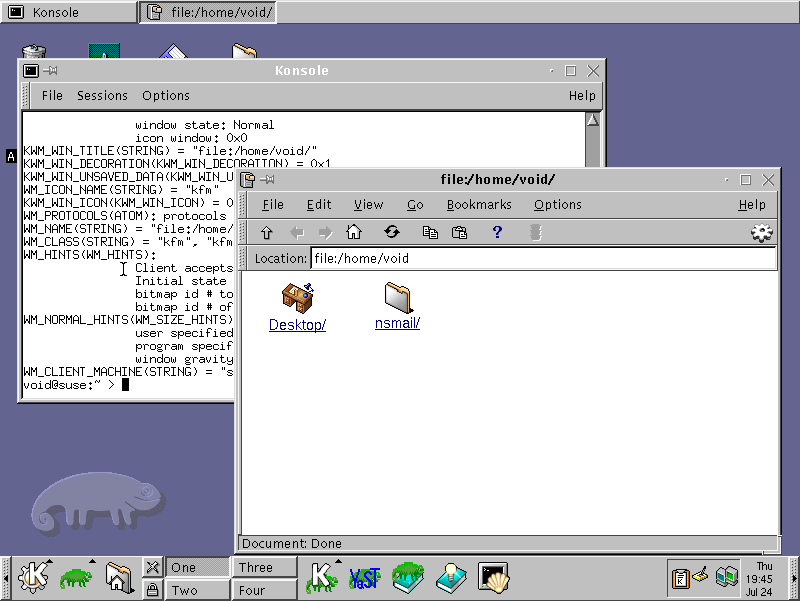
@lyse@lyse.isobeef.org True, at least old versions of KDE had icons:
GNOME, on the other hand, didn’t, at least to my old screenshots from 2007:
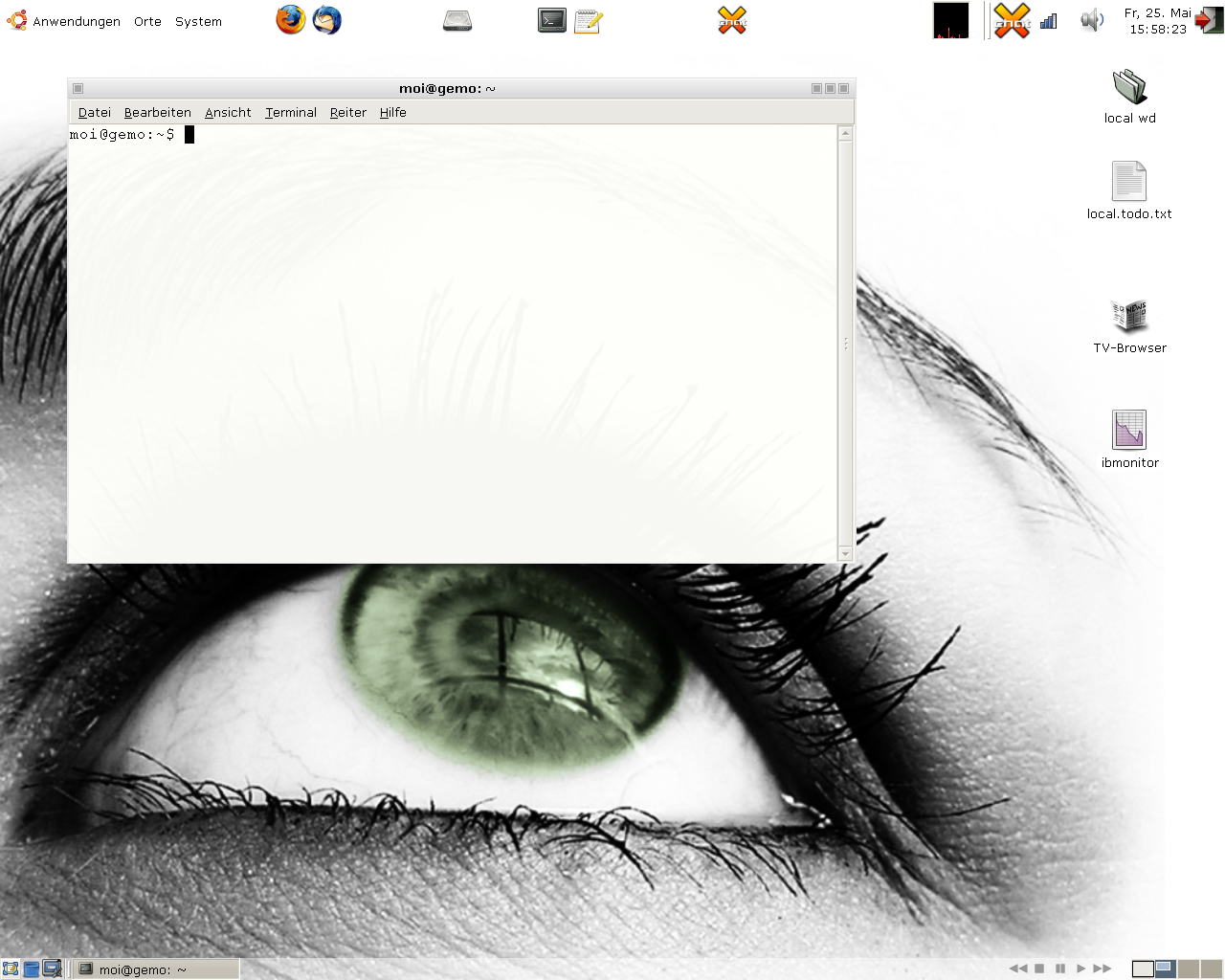
I switched to Linux in 2007 and no window manager I used since then had icons, apparently. Crazy. An icon-less existence for 18 years. (But yeah, everything is keyboard-driven here as well and there are no buttons here, either.)
Anyway, my draft is making progress:
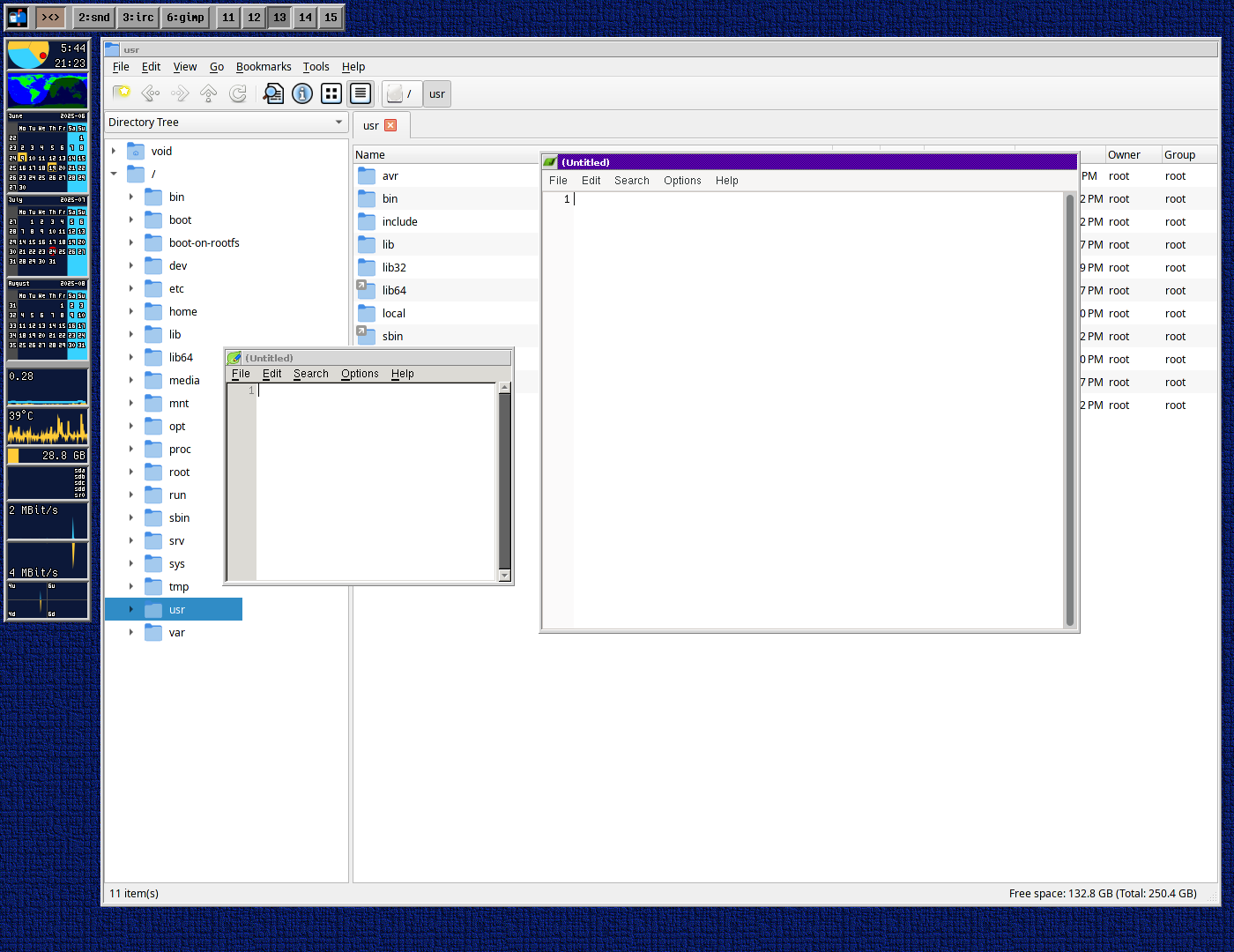
I do like this look. 😊
@movq@www.uninformativ.de I fully agree with you on https://www.uninformativ.de/blog/postings/2025-07-22/0/POSTING-en.html!
Although, in the first screenshot, the window title background is much darker in the new version than the old one!1!1 :-P Kidding aside, the contrast in the old one is still better.
Also, note the missing underlines for the Alt hotkeys now. I just think that the underline in the old one is too thick.
↳
In-reply-to
»
Looks like here’s something wrong with Markdown parsing. 🤔 The original twt looks like this:
⤋ Read More
@bender@twtxt.net Hm, it is now. 🤔 I should have made a screenshot when I first saw it.
↳
In-reply-to
»
@aelaraji got new screenies? Show them for the rest of us! Last I saw them was at the very early development stage.
⤋ Read More
There ya go, @quark@ferengi.one, these are the two most important views.
Message tree view:

Reply form:

↳
In-reply-to
»
YouTube just went from this:
⤋ Read More
@movq@www.uninformativ.de hmm, I still see the first screenshot at my end. Is that something upcoming, or perhaps being rolled out slowly?
↳
In-reply-to
»
Hmm, I truly wonder what's happening here?
⤋ Read More
@andros@twtxt.andros.dev can you see the screenshot on my first twtxt? Here: https://twtxt.net/twt/mrccg4q
Windows Recall returns, and its companion feature does not keep data on-device
Remember Windows Recall, the Windows feature that would take a screenshot of your desktop every three seconds, stored them in a database, and then let you search through them at later dates? The feature has been hobbled by implementation problems, security issues, and privacy troubles, and has been released in preview and pulled since its original unveiling. Well, it’s back in … ⌘ Read more


↳
In-reply-to
»
Hello ~~World~~ from tt2
⤋ Read More
@andros@twtxt.andros.dev @prologic@twtxt.net Exactly. The screenshots of the last few days show it in action. But I do not consider it ready for the world yet. @doesnm@doesnm.p.psf.lt appears to have a high pain tolerance, though. :-)
↳
In-reply-to
»
I have uploaded a new version of #twtxtel 🥳. It's now possible to view profiles, either your own or others. #twtxt #emacs Media @prologic @xuu
⤋ Read More
@andros@twtxt.andros.dev screenshots plz :=!
It would appear that Google’s web crawlers are ignoring the robots.txt that I have on https://git.mills.io/robots.txt with content:
User-agent: *
Disallow: /
Evidence attached (see screenshots): 
 – I think its the the Small Web community band together and file a class action suit(s) against Microsoft.com Google.com and any other assholes out there (OpenAI?) that violate our rights and ignore requests to be “polite” on the web. Thoughts? 💭
Added support for uploading images to to #Timeline
Right now you need to copy the markdown code yourself, but next up would be to lean some JS or use HTMX to make the process more smooth.
↳
In-reply-to
»
@lyse Where? 🧐
⤋ Read More
@prologic@twtxt.net @xuu@txt.sour.is There: 
Just search for ][ in https://twtxt.net/user/mckinley/twtxt.txt and you’ll see.
 Nun habe ich mir einen eigenen webbasierten TwtxtReader erstellt. PHP-basiert mit Phpfastcache, Fluid Template Engine und asynchronen cUrl-Requests für die abonierten Feeds. Inspiriert durch Timeline von @sorenpeter@darch.dk
This is the first screenshot, a simple timeline I’m using to check the fields. Now I’m working on some details: avatar cache, relative dates, simple thread, etc.  #emacs #twtxt
↳
In-reply-to
»
Any idea What's this
⤋ Read More
"twtxtfeevalidator/0.0.1" UA about? I thought I could ask before throwing a 1000GB file at it 🪤 could it be the same 'xt' thing @lyse was talking about the other day?
@lyse@lyse.isobeef.org yep, I gave it a spin locally! I freaking love the cute logo and the UI is fiiiine 👌 my TUI browsers love it just as much …
