↳
In-reply-to
»
@movq https://movq.de/blog/postings/2026-07-03/0/POSTING-en.html Oh yeah, the toolbar handles. You could actually move the toolbars around and sometimes even customize them. I have no evidence, but to me it feels like a lot of programs don't allow that anymore nowadays.
⤋ Read More
@lyse@lyse.isobeef.org This apparently depends on the program now … Some Qt6 programs still allow that, others don’t. I can’t remember if GTK ever had that feature. 🤔 But yeah, this whole “move stuff around as you please”-mentality is mostly gone.
I know I keep referring to StarOffice 3.1 a lot, but it’s just such a good example for all these things. All the toolbars and panels could be rearranged:

(This is running in Wine, btw.)
LibreOffice is the descendant of StarOffice and it doesn’t support anything like that anymore.
Maybe it was deemed too confusing for users? “Oh no, I mis-clicked something and now that bar is gone! How do I get it back? I don’t even know what it’s called!” 🤔
↳
In-reply-to
»
H… Ho… How have I not heard about vim-tagbar before? 😳
⤋ Read More
@lyse@lyse.isobeef.org Yeah, well, given that I didn’t need this for such a long time, it’s probably not an essential tool. 😅
I’ve often wanted to have an outline of text documents, though, and tagbar/ctags can do that as well:
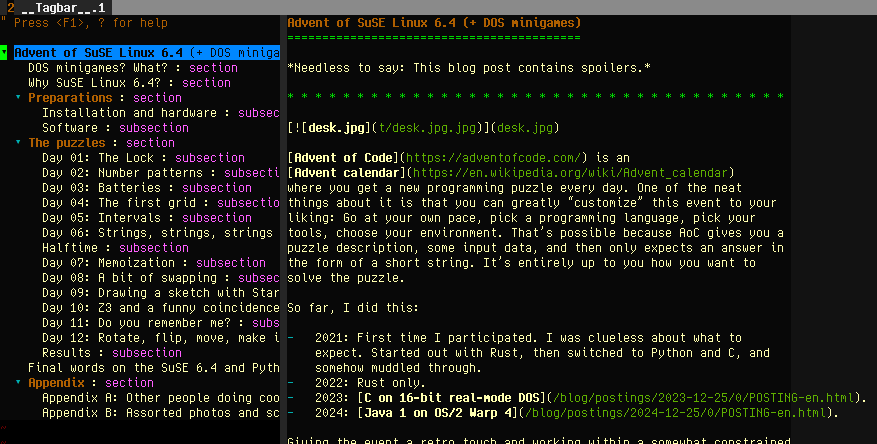
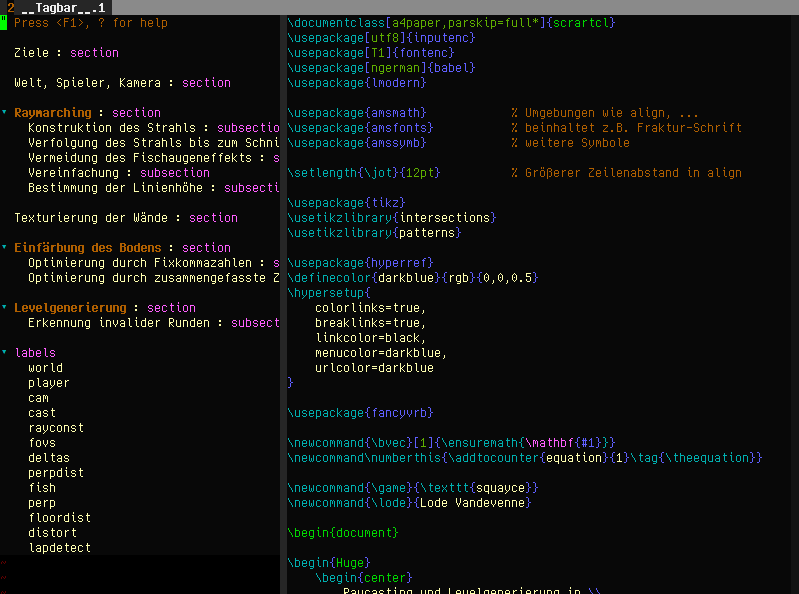
This isn’t as powerful as the “Navigator” tool in StarOffice/LibreOffice (which can be used to rearrange the document), but still pretty useful:
https://www.uninformativ.de/blog/postings/2024-05-23/0/so31.mp4
j’aurais dû apprendre à utiliser les styles de #libreoffice beaucoup plus tôt, je gagne un temps fou!