↳
In-reply-to
»
I’ve started collecting reasons against AI usage here, so I don’t have to repeat myself all the time:
⤋ Read More
Of course, @movq@www.uninformativ.de! Most of my points are also included in your list.
First of all, programming is what I really do enjoy the most. So, it doesn’t make any sense at all to not do this anymore. “But you could use your now free time to do something much cooler and more valuable!”, others might reply. Fuck no, I don’t want to waste my time with other shit that doesn’t fulfill me, why on earth would I want to do that?
All this hallucination reduces quality badly. In my experience, it’s also happening much more rapidly than I expected. Even though developers are still supposed to own and understand whatever has been generated under their name and even be responsible for that, the sad reality is that teammates often blindly trust the AI output. “But I asked the AI and it told me that $this was impossible”, “I’ve no idea either, but the AI just generated it” are responses I get more often. What really makes my angry is when I point out a flaw and suggest an alternative and this is the reaction. It happened several times that just trying it out and seeing it clearly work to proof my point only took me half a minute, but people still did something handwavy else instead.
The learning effect is drastically reduced. The more time I spend on a topic, the better the odds that whatever I learned actually makes it over into long-term memory. It’s like if a collegue just says “do it like that” or “this solves your problem”, but neither explains the why or how. Somehow, people are still convinced that it’s a completely different story when you replace the human counterpart with a computer program in this equation.
Skills are unlearned. It’s like with automation in general, just much worse. You end up in a state where you’ve no clue how anything works under the hood or how to actually find out important information that are needed to solve your problem. You’re screwed when a process breaks out of the blue. Even though it can become also rather terrible, with classical automation you’re typically still be able to decipher how exactly the thing was supposed to do something.
The energy consumption is sooo high, I absolutely do not want to be a part in burning down our planet. I’m sure I find (and probably have long found without knowing) other ways to contribute to worsen our climate crisis.
The scraper part is already covered in detail in your list. :-)
I’m convinced that license and copyright violations are only played down or even refused entirely because companies want to make big money quickly. With the work of others of course. Their double standards are obvious, they still try to actively keep their own stuff secret and out of any training sets. At most for internal use only. Virtually noone in charge is interested in good long-term solutions. Short-term for the win, when disaster eventually strikes, the causers are long gone, the responsibilities in other hands.
Vendor lock-in is something that lots of folks are only realizing very slowly. It’s completely crazy to me. This drug dealer routine should be well-known by now. It’s fucking everywhere. Yet, people are always surprised when they found themselves caught in it.
Adding new AI stuff only increases complexity. But complexity is the enemy that everybody should fear and reduce as much as possible. Of course, this is not limited to AI at all. And everywhere I look around, people in charge looooove to make things way more complicated than they ever need to be. Yet, simplicity is the real art and much harder to achieve.
I don’t understand why we have to go back full force to the ambiguity of natural languages. This alone should be more than enough to realize what a stupid idea all that is. Linked to that is that the “instruction set” is interpreted differently with newer model versions. I mean, is has to be. Why else would somebody want to upgrade in the first place than to get more Powerful™ Features™?
Some people argue that with AI the democratization is empowered. However, in my view, the exact opposite is the case. Models are getting so large that you can basically not run them locally or even train them. So, you have to rely on whatever the vendor offers you and runs for you. In the end, this only gives the owners more power, the multi billionaires. Not exactly what I understand by democratization.
Finally, technology assessments are missing completely. Or they are faked such that mostly only the (questionable) benefits are listed. But all the negative impact is just ignored.
Let’s keep some popcorn around for when this all explodes. :-)
↳
In-reply-to
»
Over there, on the othernet, I just stumbled upon the question:
⤋ Read More
@arne@uplegger.eu @movq@www.uninformativ.de Typically, I use “I”. But also “one” and, less common, “you”.
↳
In-reply-to
»
@lyse
⤋ Read More
@itsericwoordward@itsericwoodward.com @bender@twtxt.net @prologic@twtxt.net Hahaha, it’s working fine in mine. But I cannot use spaces in the nickname. :-)

↳
In-reply-to
»
@lyse
⤋ Read More
@itsericwoodward@itsericwoodward.com such a déjà vu! Breaking Yarn’s parser used to be a daily routine. Now it doesn’t happen that often mostly because I have learned what it will cause it to break, and hold myself back. But it is finicky! 😅
Over there, on the othernet, I just stumbled upon the question:
When talking to yourself in your head, do you use “I”, “you”, or “we”?
As for me, I say “we” - in regular situations. But if I fuck up, it’s “you”. 😞👈
↳
In-reply-to
»
I really dig #caturday on the Fediverse, so I thought I would start doing it here as well.
⤋ Read More
@prologic@twtxt.net Wow, thanks everyone for the kind words! 😊
In answer to @movq@www.uninformativ.de and @bender@twtxt.net: I’m sorry, it’s just the default camera app on my Samsung Galaxy S23 phone with the “Portrait” mode turned on. It’s a trick I learned from my wife, who used to work for a dog daycare and took pics of doggos for their FB page. It works well for humans, too. 😁
I just missed the 20 year anniversary of my blog. 😬 What a stupid long time to do this.
This started out as a PHP page with user comments, MySQL as a database, a PHP webadmin … can you believe that? Totally unnecessary. But everything was “LAMP” back then, so that’s what I was using as well. I kicked out MySQL in 2011 (it just stored files since then) and eventually switched to static HTML pages in 2015.
RSS feeds have only been there since 2009, because I was late to the party. For a long time, I didn’t understand what they were good for. 🤦
Use telnet or nc with port 70.
@252aa: Stoat is trash. Whoever is using it should die.
Everyone who uses this chat is indeed cool. Also I use dillo for gopher, it’s awesome.
Everyone who uses this chat is cool. That is all, thanks.
I just realized that this book, which I’m still using as a reference every now and then, is from 2005.
In other words, it’s over 20 years old now. 😬

↳
In-reply-to
»
The original twt is unavailable. It may have been edited or deleted, or is from an unknown or muted feed.
⤋ Read More
@tftp@tilde.town mentioning in here requires he whole shebang. With jenny, if using vim, there is a key combination:
Nick name completions: Allows you to use ^X ^U to turn verbatim nick names into full twtxt mentions. For example, typing “cath” and then pressing ^X ^U will turn “cath” into a full mention, like “@”. (This function will read the contents of your “~/.config/jenny/follow” file.)
Maybe I’m just used to the text-only ecosystems of Gopher and Gemini by now, but even Nostr feels too noisy for me.
hello from, portal.mozz.us
I’m pleased to announce that express-twtkpr (my ExpressJS library for hosting, editing, and posting to a twtxt.txt file) continues to crawl towards a full release with another (pre-alpha) update published to NPM. This update includes a whole new plugin system, and even a (little) more documentation. Check it out, if you dare (and use it at your own risk): https://www.npmjs.com/package/express-twtkpr
And speaking of plugins, here’s where the fun’s at: announcing express-twtkpr-core-plugins, a set of 3 plugins for your TwtKpr install: emojiButton, uploadButton, and postToMastodon. Like express-twtkpr, this set of plugins is still in pre-alpha, and lacks documentation, examples, tests, installation flexibility, or polish (so also use them at your own risk). Other than that, they work great: https://www.npmjs.com/package/express-twtkpr-core-plugins

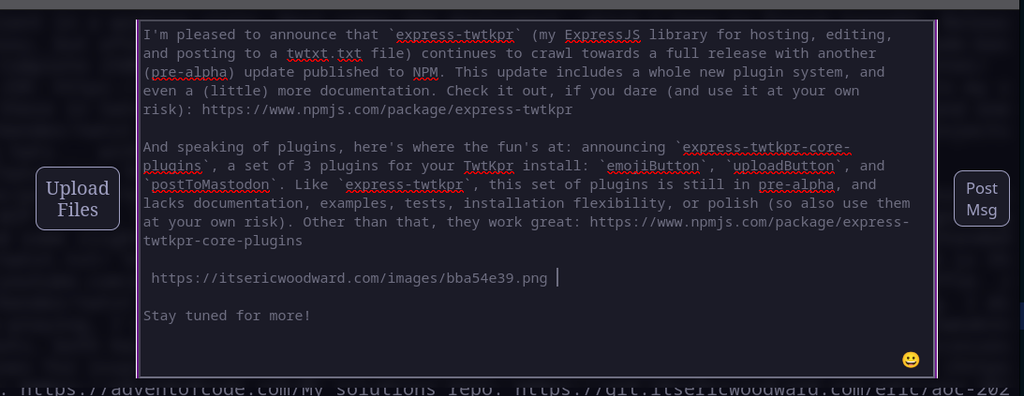
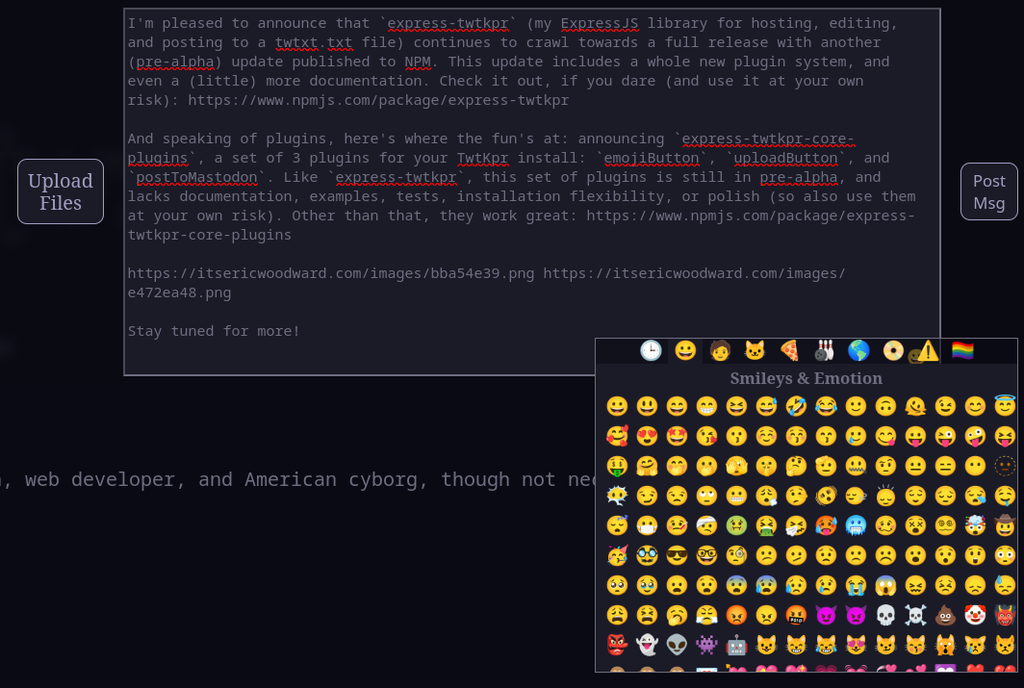
Stay tuned for more! 🤘
↳
In-reply-to
»
My first game of Magic ended with a truly EPIC TURN yesterday...
⤋ Read More
@bender@twtxt.net Apologies, I’m still working through some layout issues with TwtStrm and frequently miss mentions…
Magic: the Gathering does not use a Game Master (although professional referees are often used in sanctioned events). While the game has alot of thematic crossover with with D&D (or fantasy games in general), the system is much more of an abstract, card-dueling system involving things like “the stack” and insanely specific rules on card timing and interactions.
Like, we joke about “I’m sending my army of (goblins / elves / angels / whatever) at you,” but that’s about as far into the “role-playing” element most magic games get in my experience (and most of the “official” competitive games I’ve played at my FLGS were even more abstract and less thematic, although it’s been years since I played in one of those).
↳
In-reply-to
»
So apparently this is the default when making a new Matrix account, which makes me wonder why we’re even doing this whole crypto dance in the first place … ?
⤋ Read More
So, it’s plenty good enough for them.
Yeah, but on the other hand, you can’t even log in normally to a Matrix/Element account. I mean using username + password. It’s not expected that you ever log out or lose your browser session. If you do, you must use a one-time backup code (that you must create and save beforehand) to log in again.
To be fair, I can’t say that I fully understand what Matrix is doing in the first place. The text that I quoted reads like they have your keys. But they also claim that they only store this stuff encryped: https://element.io/en/help#encryption5 So … encrypted with what? Only option here is my password, isn’t it? (But if my password was good enough to reclaim an account … why do all the other stuff …)
Matrix takes end-to-end encryption seriously. When I ran a Matrix server for the family, the family members would regularly lose their keys, because they didn’t pay attention to something. That’s on purpose! Or rather, that was on purpose. Maybe it’s different these days?
No clue.
I’m using a browser. I have both Overbite and Lynx (Termux) installed.
use dillo from mainline with the dillo plugin, the one from distros it’s very outdated
↳
In-reply-to
»
@lyse These days (and it’s been like that for a while), almost everything is loaded on-demand depending on which hardware the OS finds, so you can simply copy all your files with
⤋ Read More
cp -a, install a bootloader, adjust some minor things /etc/fstab, done. Well, maybe not “done”, but it’s easy to sort out the remaining stuff afterwards.
@bender@twtxt.net It’s been a while (6.5 years) since I’ve done this. I’d do it like this:
- Boot some Linux from a USB stick on the new machine. Preferably Arch Linux, since that is what I’m running and that’ll make the upcoming chroot easier.
- Partition the new disk, create LUKS devices, filesystems, …
- Mount the new filesystems and copy all data (user data and the system itself – everything). Do this either over the network or by hooking up the old disk directly.
- chroot into the new system (Arch has an
arch-chroottool for that which is used during normal installation, if I’m not mistaken). Inside the chroot, install the bootloader.
- Do some fixups, like adjusting
/etc/fstabor/etc/crypttab.
And I think that should be it. 🤔
↳
In-reply-to
»
On the weekend just gone we also visited Twin Falls, which was absolutely magnificent! Media Media
⤋ Read More
@bender@twtxt.net I believe it’s been money well spent if I’m to be honest. It’s a great “get away” and “adventure” for not just myself but the family too. Getting away from it all, experiencing nature and what this wonderful country has to offer is pretty nice 👍 As long as we keep up the adventures over the long time, use it several times a year, it will be very well wroth the investment 👌
Two mates and I went hiking yesterday. The sun was beating down on us, but luckily, it was also rather windy which helped to cool off. Unfortunately, we also encountered bucketloads of drunk hikers with hardcarts loaded full of beer who had to very loudly please everbody with their shitty taste of music. What a stupid tradition on 1st May public holiday over here. Other than that, it was a great hike.
I was pleasantly surprised that my trains were dead on time, so both super short times to switch connections worked out perfectly on both the way there and back. I did not expect this to happen at all and already braced myself for an additional half hour waiting time. Especially with the stupid Stuttgart Beer Festival right now. Even more drunk idiots everywhere and of course also in the trains. On the return journey, I learned about all sorts of family relations etc. in various Allgäu villages. Oh boy. At least nobody vomited, that’s a bonus.
Also, I sweated more on the first return Sauna-Bahn than on the entire hike combined. It was awfully hot in there.
Anyway, all in all it was a great time in the outdoors with my mates: https://lyse.isobeef.org/monrepos-favoritepark-hungerberg-ruine-hoheneck-2026-05-01/
↳
In-reply-to
»
@lyse 33! Wow! Very good stash on clicks, Lyse! And that Ford van reminds me of the police account used to keep order around here. LOL. It’s a gem!
⤋ Read More
↳
In-reply-to
»
And a trip to my backyard mountain again. It was very windy, so the 16°C felt even cooler than that. But it will be back in the twenties tomorrow when I visit a mate for a hike, oof.
⤋ Read More
@lyse@lyse.isobeef.org 33! Wow! Very good stash on clicks, Lyse! And that Ford van reminds me of the police account used to keep order around here. LOL. It’s a gem!
↳
In-reply-to
»
Fuck me dead, our sky burned down once again! https://lyse.isobeef.org/abendhimmel-2026-04-28/
⤋ Read More
@prologic@twtxt.net @movq@www.uninformativ.de @bender@twtxt.net Thank you very much! <3
I only filtered out the noise floor of the camera itself. I selected one second of “silence” in Audacity and used the “Effect” → “Noise reduction” (Rausch-Verminderung in German) dialog with its default settings. I repeated that two or three times in total with different sections of “silence”. It’s very hard to find something where there is really no other bird singing in the background. But in contrast to the original audio, the edited version is noticeably more squeaky I find.
Oh, and I increased the volume. Especially after the noise reduction, everything is a bit quieter.
I got rather lucky, only a few cars went by and my microphone is too shitty, to really pick it up. :-D It’s kinda drowned out by the background noise. 45 seconds into the video, a car passes. Also at 1:10 without a doubt. I’m sure there were actually many were. Most of them passed behind me, the mic is facing away from that sound source. Of course, the densely built-up area still reflects a lot.
It also helped that Azabache is a loud singer himself. Fortunately, no idiots screaming either.
If you want to compare yourself or play around to see what other improvements you are able to achieve, I uploaded the original from the camera in the same directory under the lovely name DSCN5687.MOV. It’s 236.1 MiB in size.
↳
In-reply-to
»
@bender Oh, this trekking bike is nothing special at all. It's a Bulls Wildtail with only front suspension, 21 gears and standard V-brakes. The first immediate upgrade I did was mounting a pannier rack, it's one of the most useful things.
⤋ Read More
@lyse@lyse.isobeef.org thank you! I got visual now! 🙈 Now, you had to pull out a pic from winter, to make those of us constantly burning in “hell” jealous, eh? 😂
↳
In-reply-to
»
@lyse first time you twtxt about having a bicycle, and now I am curious to see it. Show us a click! 🙈
⤋ Read More
@bender@twtxt.net Oh, this trekking bike is nothing special at all. It’s a Bulls Wildtail with only front suspension, 21 gears and standard V-brakes. The first immediate upgrade I did was mounting a pannier rack, it’s one of the most useful things.
I just quickly dug out this photo from one and a half years ago where it’s parked at our scout yard in November 2024. You just have to use your imagination on how the front looks like. :-D

↳
In-reply-to
»
I left at full sunshine and completely forgot to bring my bicycle's headlamp. The taillight is always on the bike, but the front one gets charged in the house after every trip. Luckily, I found a torch and roll of duct tape in my hiking backpack. It finally paid off that I always carry all this silly gear around.
⤋ Read More
@lyse@lyse.isobeef.org first time you twtxt about having a bicycle, and now I am curious to see it. Show us a click! 🙈
I left at full sunshine and completely forgot to bring my bicycle’s headlamp. The taillight is always on the bike, but the front one gets charged in the house after every trip. Luckily, I found a torch and roll of duct tape in my hiking backpack. It finally paid off that I always carry all this silly gear around.
A few weeks ago, I actually thought about removing the torch, because it’s been a hot minute when I last used it. Fortunately, I did not. :-)
↳
In-reply-to
»
With all these new ways of digital publishing, I'm wondering for years why music artists still release entire albums. I would have imagined that most bands simply publish a new song whenever it's good to go. But no, at least in my bubble, everybody still collects a bunch of new songs before throwing them as a collection into the crowd. I never used any of these streaming services, though, so maybe I'm just completely uninformed.
⤋ Read More
@lyse@lyse.isobeef.org Really depends on the genre, I guess. 🤔 Quite a lot of “non-pop” music still uses the format “concept album”, I think. 🤔 But don’t ask me for any solid statistics. 😅
With all these new ways of digital publishing, I’m wondering for years why music artists still release entire albums. I would have imagined that most bands simply publish a new song whenever it’s good to go. But no, at least in my bubble, everybody still collects a bunch of new songs before throwing them as a collection into the crowd. I never used any of these streaming services, though, so maybe I’m just completely uninformed.
↳
In-reply-to
»
Just saw the video. Can’t believe that ladder is that expensive. Even in AUD, it is almost $100. It is also 2.5 stars, with 13 reviews. Gulp. Engineering aside (and you are right, it is pretty interesting, and some, if not most of it went over my head), the ladder is rubbish. This is the one I have. Not super, but have been with me for a while, and used quite a bit, still as good as new.
⤋ Read More
@bender@twtxt.net Yeah, it’s crazy!
Somehow, your link 403s here, but I just searched it. At least it has the diagonals at the lower two steps. However, the two upper platforms also suffer from the plastic covers, it appears (I cannot tell the material from the low quality images I found). Maybe it is aluminium? I think some joints use machine bolts, though (but again, not enough detail visible).
Happy ladder climbing!
↳
In-reply-to
»
@bender I found the engineering explanations behind that super interesting.
⤋ Read More
Just saw the video. Can’t believe that ladder is that expensive. Even in AUD, it is almost $100. It is also 2.5 stars, with 13 reviews. Gulp. Engineering aside (and you are right, it is pretty interesting, and some, if not most of it went over my head), the ladder is rubbish. This is the one I have. Not super, but have been with me for a while, and used quite a bit, still as good as new.
↳
In-reply-to
»
Also, this really speaks to me (or maybe it speaks for me): https://neilzone.co.uk/2026/04/just-let-me-compute-in-peace/
⤋ Read More
@lyse@lyse.isobeef.org I’m glad you found it useful. :)
@klaxzy@klaxzy.net Thanks for that. I couldn’t agree more.
The auDA, and some 3rd-party identify service and my Registrar are a joke!
WOW! I just had to share this little story I ran into today.
I tried to register a .AU Domain the other day, only for it to instantly fail.
I emailed support, which took several days to respond, only for them to respond by saying (paraphased):
We’re sorry, but the identify checks failed. The 3rd-aprty service doesn’t tell us why, But, please make sure that the ID you used matches the Full Name, including any Middle name(s).
I used my Passport number. Which of course has my First, Middle and Last Name.
I can only assume at this point that the checks failed on the missing “Middle name”. Why? Because the Registrar I use has a database and user interface for “contacts” that only have support for First name and Last name. NO Middle Name.
🤦♂️ This is basically stupid at this point. Systems cannot be trusted at the most fundamental level, no matter how good they are.
Until we figure out how to build a system that allows an individual to prove to another entity that they are who they say they are without a shred of doubt (i.e: cryptographically), we’re stuffed.
There is literally nothing I can do in this case. The auDA are at fault. The 3rd-party identify service (unknown) are at fault. The registrar are at fault. Hell, even the Passport office are at fault for even bothering to or requiring a Middle name.
How has “identity” come to this?
Where do people who still use i486 live? Maybe, I will try to move to there, so I won’t have to upgrade devices.
Somebody really has got their session handling licked. I’m surfing in a webshop and opening another article to check on the details only to receive the error message: “An error occurred during the ordering procedure with PayPal. Please try again later or use the normal ordering process.”
↳
In-reply-to
»
Also, this really speaks to me (or maybe it speaks for me): https://neilzone.co.uk/2026/04/just-let-me-compute-in-peace/
⤋ Read More
@itsericwoordward@itsericwoodward.com i am so glad that so many of us is realizing that internet is enshittified, i feel the same, i wrote about this on my website, kinda reflects what Neil wrote there, take a look https://klaxzy.net/var/log/202512-internet-hit.html
↳
In-reply-to
»
i closed spotify and netflix accounts some months ago, now netflix send emails every day asking me to return for .99 and recommending me shows that i've never been interested in, 11 email so far, are they are so desperate! spotify is silent for now:)
⤋ Read More
i am trying to escape from big tech, as much as i can. spotify is just bad for artists, pays miserably plus they show ads for ICE recruitment in the US, netflix is just not interesting anymore and i don’t really wathch movies that much. the next one is paypal i think
My mate and I hiked some 16-18 kilometers to the Wasserberg. The 22°C sun was beating down hard on us. There were quite a bunch of clouds all around, but none of them casted the tiniest shade on us. Only in the second half we got a little bit luckier in that regard. Still, we were soaked before we even left town. Hardly any breeze.
Unfortunately, I left my camera at home and found it hidden behind the cettle in the kitchen after searching the entire house for some 15 odd minutes. However, a greenfinch paid me a visit this morning and I got it on camera. The sunset was crazy colored, too:
↳
In-reply-to
»
They are all very nice @lyse! You truly need some sort of easy to navigate website with them all, categorised, and such… A robot can dream, right? :-)
⤋ Read More
¡Muchas gracias @bender@twtxt.net! I was also thinking about categorizing them a few years ago. But it’s so much work. I would have to tag every photo on its own. My use case goes more towards “give me all albums with squirrels”, though. Let’s see. I would need some tooling for easy tagging first. And then, the question is, which categories do I want to have to begin with?
↳
In-reply-to
»
Another AI rant:
⤋ Read More
@movq@www.uninformativ.de But even the same model behaves differently if you upgrade to a newer version. Or it hopefully should, why otherwise would one want to update in the first place? A fixed, predictable output would be the result of us oldtimers doing something with inferior, ancient technology!
↳
In-reply-to
»
Another AI rant:
⤋ Read More
@lyse@lyse.isobeef.org Oh, yeah, right, I hadn’t even considered that (we mostly use one model). Choose a different model and it does something completely different. Cool stuff.
@d6b80: Use gopher over the portal gopher.floodgap.com/gopher/gwlite . You always present the same ip to the internet. But of course you are logged. You can do so by any old browser and mobile, that id capable for http.
Another AI rant:
One of the “key features” of LLMs is that you can use “natural language”, because that is supposed to be easier than having to learn a programming language. So, when someone says to me, “I automated this process using AI!”, what they mean is: They have written a very, very large Markdown document. In this document, they list what the AI is supposed to do.
In prose.
This is a complete disaster.
Programming and programming languages have one crucial property: They follow a well-defined structure and every word has a well-defined meaning. That is absolutely brilliant, because I can read this and I can follow the program in my head. I can build a mental model. I can debug this, down to the precise instructions that the CPU executes. This all follows well-defined patterns that you can reason about.
But with these Markdown files, I am completely lost. We lose all these important properties! No debugging, no reasoning about program flow, nothing. It’s all gone. It’s a magic black box now, literally randomized, that may or may not do what you wanted, in some order.
People now throw these Markdown files at me … and … am I supposed to read this? Why? It’s completely random and fuzzy.
Sadly, these AI tools are good enough to be able to mostly grasp the authors intentions. Hence people don’t see the harm they cause, because “it works”.
We already have a ton of automations like this at work: Tickets get piped through an LLM and these Markdown files / prompts determine what will happen with the ticket, and maybe they trigger additional actions as well, like account creation or granting permissions. All based on fuzzy natural language – that no two humans will ever properly agree on.
Jesus Christ, we’re now INTENTIONALLY bringing the ambiguity of legal texts and lawyers into programming.
Using natural language is NOT easier than using a programming language. It is HARDER. Have you people never read a legal contract? And that stuff can STILL be debated in a court room.
I can’t begin to comprehend why we, tech folks, push this so hard. What is wrong with you? Or me?
(And, once again, we’re ignoring other factors here. LLMs use a ton of energy and ressources, that we don’t have to spare. It’s expensive as fuck. It doesn’t even run locally on our servers, meaning we give all these credentials and permissions to some US company. It’s insane.)
↳
In-reply-to
»
We cleaned up the forest today with the scouts at absolute dream weather. Blue sky, no clouds, 19°C sunshine. In the morning it was still quite chilly and windy, though. We didn't find anything spectacular, maybe a rubber dinghy, three car tires and a broken ratchet strap are the most outstanding things to me apart from all the general rubbish, cigarettes, glass, wet wipes, etc. Still, a very fun activity. In the end we had bockwurst, grilled cheese and lye buns on the camp fire.
⤋ Read More
I love the smell of the rainy air. Sooooo good. The thunderstorm is gonna miss us now, two closer bangs, but that’s supposed to be it.
↳
In-reply-to
»
@lyse Yes, and that’s why I’m 100% convinced that we’ll see a massive brain drain in a couple of years. This will affect young people even more, because they don’t have all the “old” knowledge to fall back on.
⤋ Read More
@movq@www.uninformativ.de I couldn’t agree more! I also have the feeling that it causes more people to just accept “it’s a software problem, there’s nothing that can be done about it”. Which is very frightning to me.
Up until now, I was successful in refusing to actively use that crap. I had to do one mandatory AI training, but even our hippest AI enthusiasts found it absolutely terrible. Probably also nailed together by the same rubbish they want us to now use everyday as much as possible.
Code reviews are the part that I have to deal with most. And I believe that the code quality is degrading.
Let’s hope the bubble bursts sooner than later. It will definitely burst at some point. That’s for sure.
↳
In-reply-to
»
Eehhh, what the hell is going on here!?
⤋ Read More
@lyse@lyse.isobeef.org Yes, and that’s why I’m 100% convinced that we’ll see a massive brain drain in a couple of years. This will affect young people even more, because they don’t have all the “old” knowledge to fall back on.
It’s concerning, I’ve warned about it many times, nobody listens.
I think the best thing one can do is explicitly not use any AI tools but keep your actual skills intact. Might be out of a (good) job for a while, but once this bubble bursts, this is who is going to get hired again. (I think.)
And considering how insanely expensive all this is, I’m still (mostly) convinced that the bubble will actually burst. This stuff just isn’t sustainable.
… or I might be wrong. And if so, I see an even darker future that I don’t want to put into words right now.
↳
In-reply-to
»
Eehhh, what the hell is going on here!?
⤋ Read More
@movq@www.uninformativ.de Now, it’s official, I AM an idiot. Yeah, thank you, that’s it! Apparently, I’ve quickly unlearned to use my brain with great success. :-(